Inside the app
A closer look.



About this app
Made for a clear purpose.
Receipt to PDF turns paper receipts into a private, searchable expense archive that lives on your device. No account, no cloud service, no tracking.
Scan a receipt with Apple's document camera and the app reads the merchant, date, and total on device using Apple Vision. You can accept a suggestion with one tap or edit any field.
What you can do with Receipt to PDF:
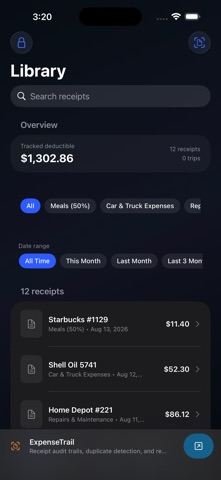
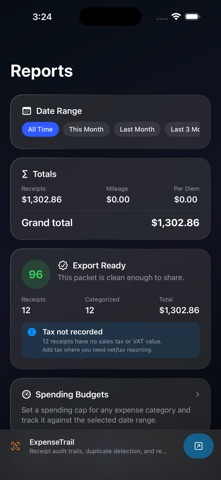
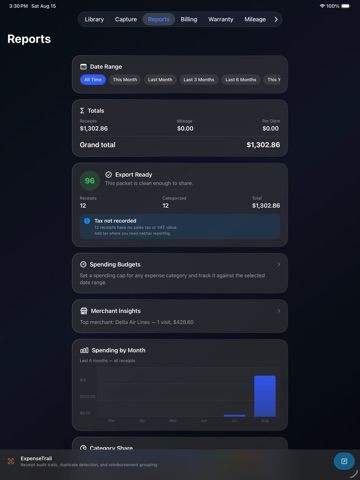
- scan receipts with Apple's document camera - auto-read merchant, date, and total on device - suggest expense categories from your own on-device merchant history - compare merchant totals, visit counts, and average spend in Merchant Insights - review Audit Readiness before export for missing pages, missing amounts, uncategorized expenses, possible duplicates, tax gaps, reimbursements, and warranty windows - catch duplicate receipts before they inflate totals - set spending caps for expense categories - keep a persistent, searchable receipt library - filter receipts by date range - tag receipts to Schedule C-style expense categories - record amount, tax, payment method, currency, and notes - reorder, rotate, delete, and append multi-page scans - view monthly spending and category share charts - export CSV, summary PDF, audit report PDF, or ZIP of receipt PDFs - export password-protected PDFs - log mileage and per diem entries - track warranties and return windows - protect the app with an optional 4-digit passcode
Everything stays on your device. There is no account, no analytics SDK, no advertising SDK, and no vendor storage layer.
The bundled categories, rates, and recordkeeping notes are general reference only and are not tax advice. Consult a qualified professional for your situation.