Inside the app
A closer look.




About this app
Made for a clear purpose.
Glyphmint is an offline QR, Wi-Fi, contact, payment, event, and barcode studio built for people who need codes that look polished and survive real-world printing.
Build a code, style it, run a preflight check, export it, and keep a private on-device history without an account or developer backend.
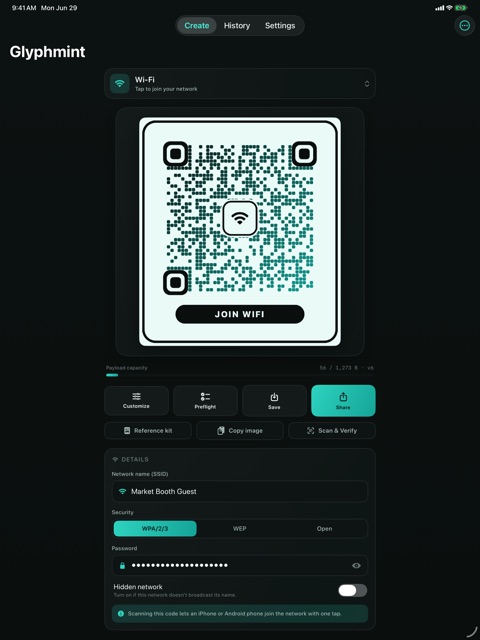
CREATE MANY CODE TYPES - Website QR codes with automatic https handling - Wi-Fi join codes for WPA/WPA2/WPA3, WEP, open, and hidden networks - vCard and MeCard contact codes - Email, phone, SMS, plain text, map location, and calendar event QR codes - SEPA payment and crypto payment payloads - Code 128, Code 39, EAN, UPC, Aztec, and PDF417 barcode options
STYLE WITH SCAN CONFIDENCE - Choose colors, module shapes, QR eye styles, gradients, and frames - Add center glyphs for Wi-Fi, links, contacts, calendar events, payment codes, and more - See live contrast, dark-on-light, quiet-zone, and logo recovery checks - Repair low-contrast palettes with one tap
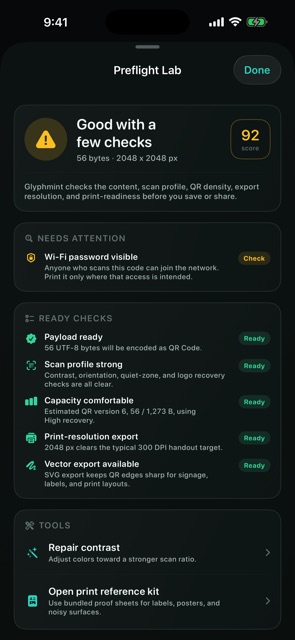
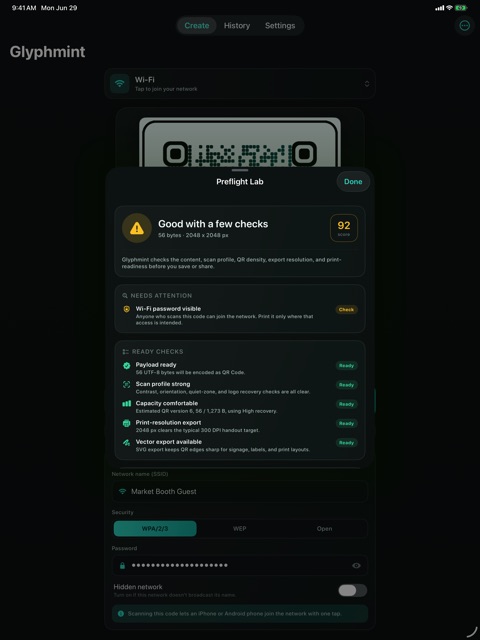
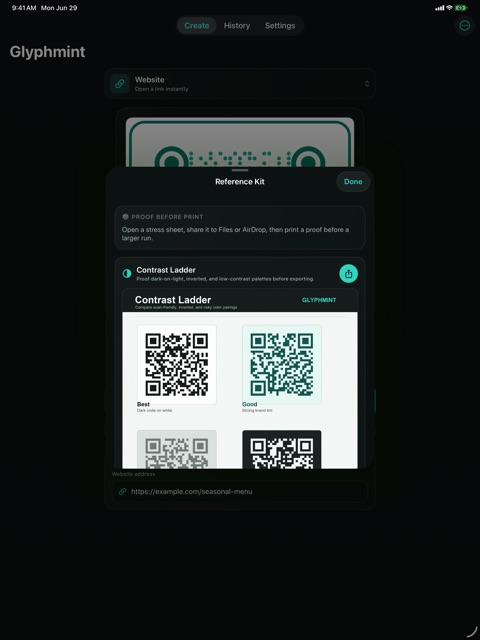
PREFLIGHT BEFORE YOU PRINT - Preflight Lab rolls content validation, scan profile, payload density, export resolution, and sensitive payload reminders into one report - QR capacity gauge estimates byte use and QR version from ISO/IEC 18004 byte-mode capacity tables - Print Size Advisor estimates physical size and pixel targets for common use cases - Bundled reference sheets help proof labels, posters, noisy surfaces, contrast choices, and barcode strips
EXPORT AND VERIFY - Save high-resolution PNG images - Share image files through the system share sheet - Export QR codes as SVG for sharp print layouts - Export PDF pages for quick proofing - Copy generated images to the clipboard - Scan and verify QR payloads in-app before sending a file to print
PRIVATE BY DESIGN Glyphmint works on device. It does not require an account, does not use analytics SDKs, and does not send generated payloads to a server. Camera access is used only when you choose Scan and Verify. Add-only Photos access is used only when you choose to save an image.
Glyphmint is made for real labels, signs, menus, flyers, inventory tags, contact cards, and Wi-Fi handoffs where a broken code is expensive and embarrassing.